CHAPTER 6
Using Canva Templates to Guide ChatGPT
Using Wireframes With ChatGPT4:
Creating wireframes in Canva and using them as guides for programming with ChatGPT presents an innovative approach to web and app development. This method combines the simplicity and versatility of Canva's design tools with the advanced coding capabilities of ChatGPT. Here's a detailed look at this process:
Designing Wireframes in Canva:
Canva, known for its user-friendly interface, offers a range of templates and tools that make it easy to design wireframes. Even those with minimal graphic design experience can use Canva to create clear and concise wireframes. This involves selecting appropriate templates or creating a layout from scratch, and arranging elements like buttons, menus, text areas, and image placeholders to represent the structure of a website or app. The goal here is to focus on layout and user experience, rather than detailed design elements.
Translating Wireframes into Specifications:
Once the wireframe is complete, it serves as a visual guide for coding. You can then use this wireframe to create a detailed specification for ChatGPT. This might include descriptions of each element in the wireframe, such as the placement of navigation bars, the flow of content, or the functionality of interactive elements. The more detailed your description, the more accurately ChatGPT can understand and translate these requirements into code.
Using ChatGPT for Code Generation:
With the specifications derived from the Canva wireframe, you can prompt ChatGPT to generate relevant code. ChatGPT, with its advanced language model capabilities, can interpret these specifications and produce corresponding HTML, CSS, JavaScript, or other relevant programming languages. This code will form the backbone of the website or application, closely following the layout and structure outlined in the wireframe.
Iterative Development and Refinement:
As ChatGPT generates code, you can compare the output with the original wireframe design.
This iterative process allows for adjustments and refinements. You can update the wireframe in Canva as needed and provide revised specifications to ChatGPT for further code generation, ensuring that the final product aligns closely with the envisioned design.
Advantages of this Approach:
Utilizing Canva for wireframe creation and ChatGPT for coding offers several benefits. It streamlines the development process, making it more accessible and efficient, especially for individuals or teams with limited coding expertise. It also fosters a collaborative environment where designers and developers can work together seamlessly, using the wireframe as a common reference point.
In summary, leveraging Canva's intuitive design tools to create wireframes, and then using those wireframes as guides for ChatGPT to generate relevant code, is a highly effective and innovative approach. It bridges the gap between design and development, allowing for a more integrated, efficient, and user-centric creation process for websites and applications.
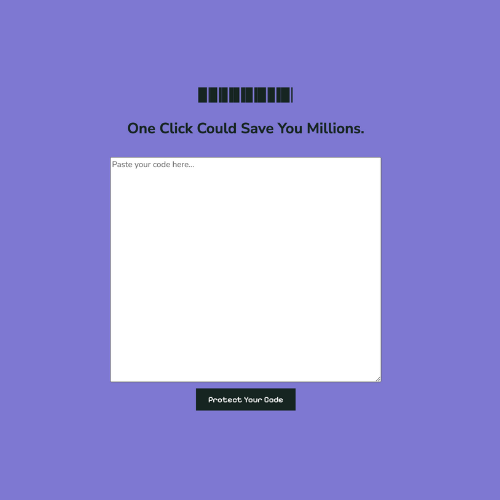
Example of wireframe used to design (RedactIT).
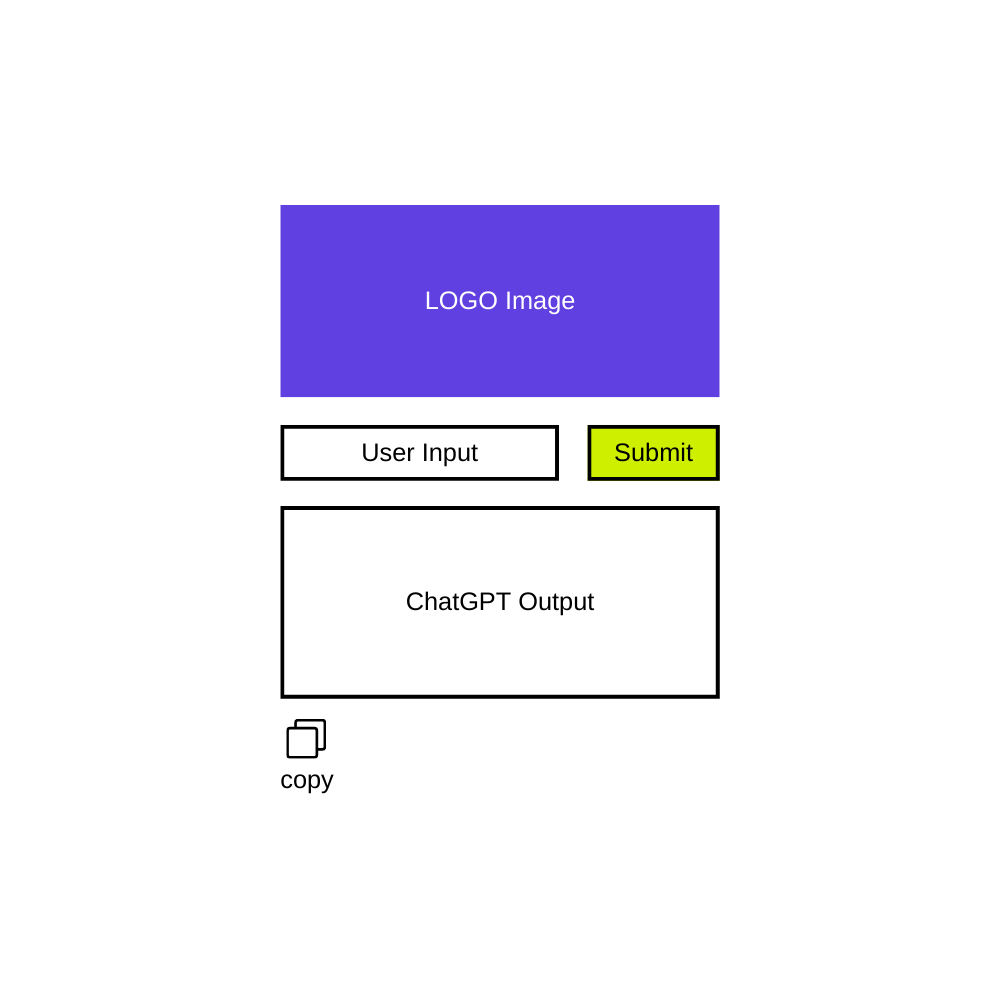
Example of a wireframe for ChatGPT bot template seen hackgptbook.xyz.